 Keepworthy
Keepworthy ranks your photos and videos and gets your storage back.
It works alongside Apple Photos, and your library stays where it is. It finds the bursts, the near-identical shots, the screenshot piles, and the near-duplicate videos, and plays those videos side by side, lined up to the same moment.

For iPhone and Mac. Free, with no daily limits. The app doesn't ask for an account or email. Nothing is deleted until you confirm.

Every cleaner groups photos. Keepworthy also groups your videos.
Two takes of the same moment, thirty seconds apart, both 4K. Thumbnails won't tell you which one to keep, because the difference is somewhere in the middle of the footage.
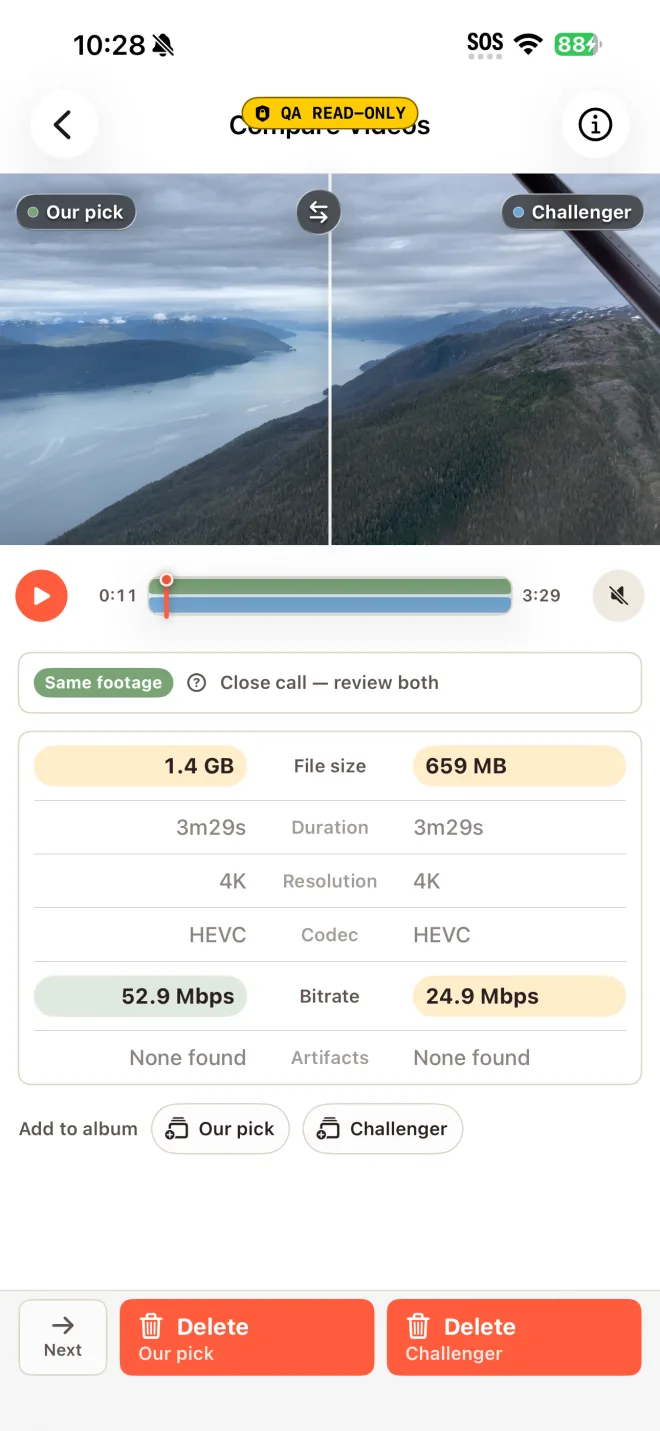
Lined up to the same second. Keepworthy finds the pair, works out where they overlap, and plays them side by side, so you judge the same instant on both.
It measures what compression changed. Before you run it, Keepworthy estimates how much the picture will change. Afterward it measures the change on the real file and shows the number.
Your original stays where it is. Compression writes a new, smaller copy next to it. Watch the copy, then decide which one keeps the space.
The copy keeps its place in Photos. It carries the original's date, location, favorite and hidden status, and rejoins the same albums.
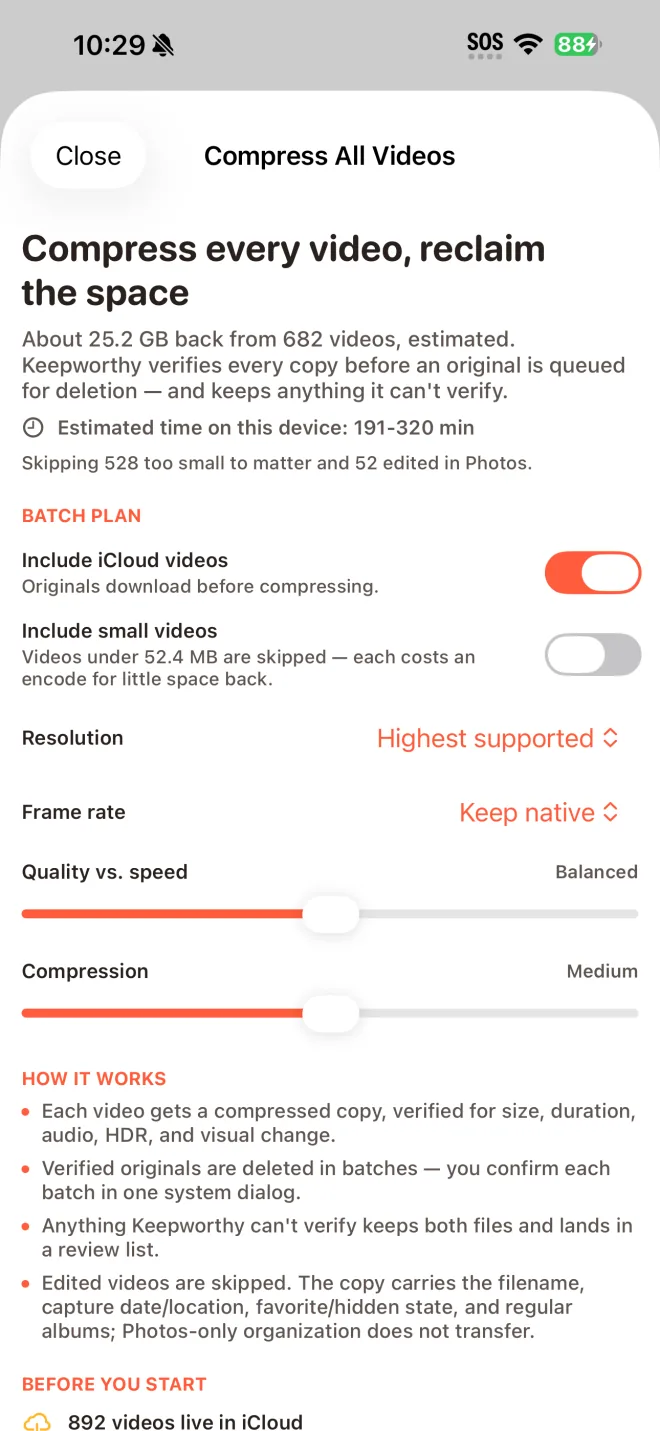
Compress every video in one run.
Compress All works through the videos in your library. Each copy is checked before its original is deleted, and you confirm the deletions in batches.
There's also stronger compression, the highest quality setting, and deep video matching, which also catches crops, trims, and re-encodes.
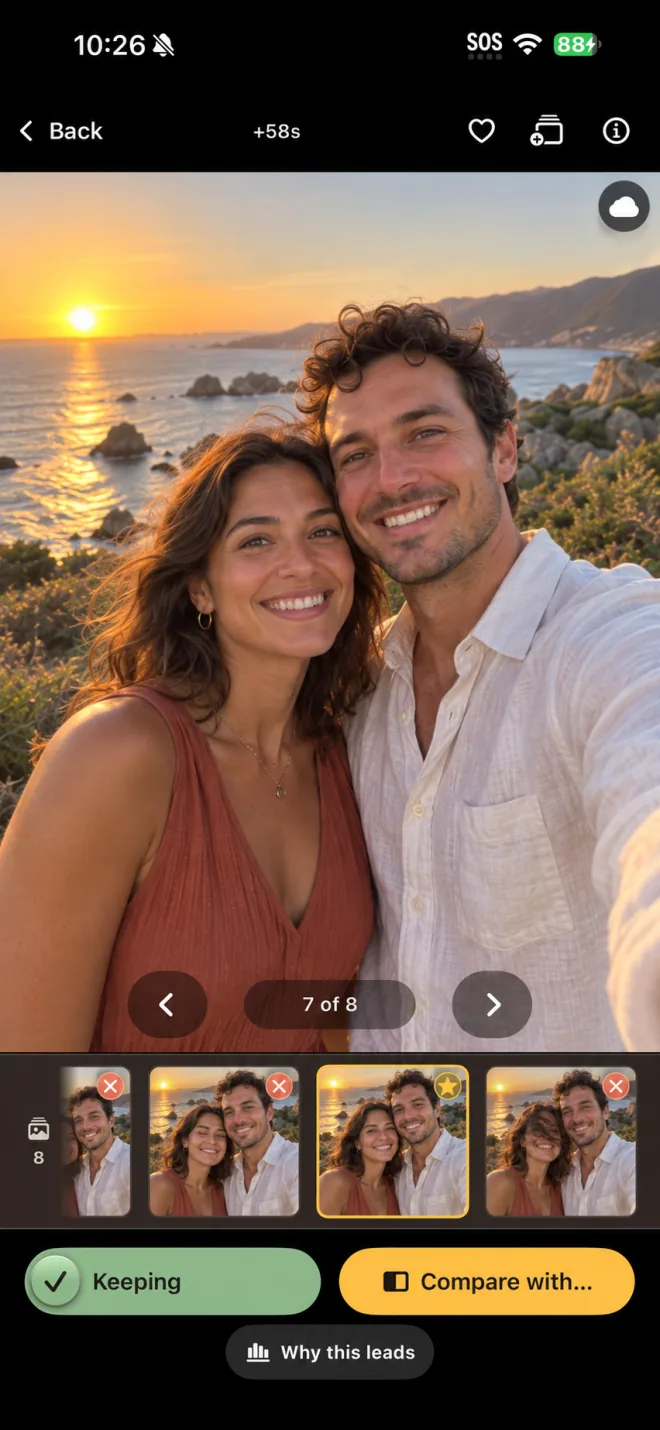
Fourteen shots of the same moment, and one decision to make.
Apple's Duplicates album looks for copies of the same photo. The fourteen near-identical frames you took of one moment aren't copies, so Photos leaves them alone.
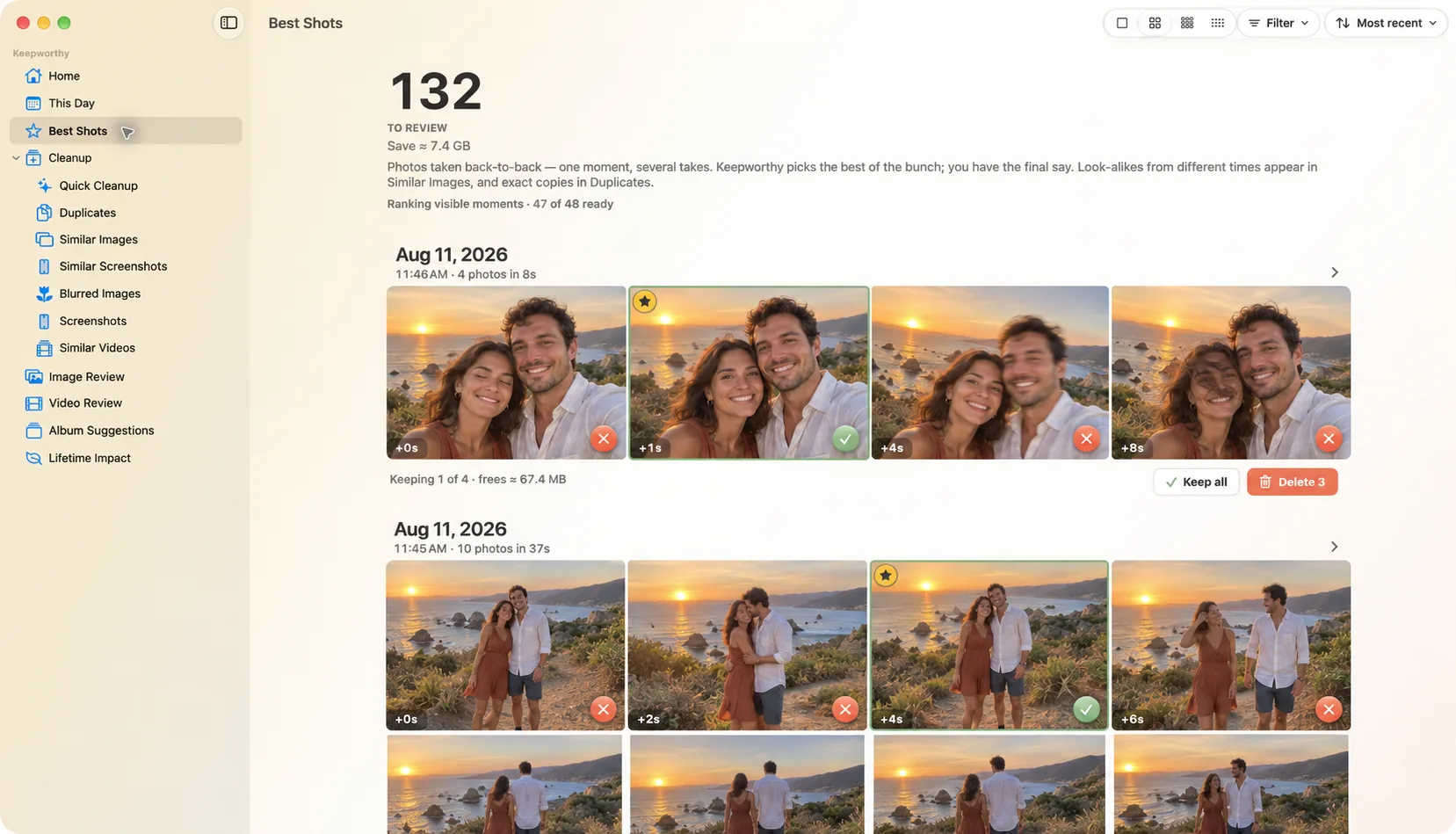
It opens on the strongest one. The reason is already written under it: eyes open, sharper, good exposure.
The others carry a note. Short ones, like blinking, blurry, or tilted, so you can see the call at a glance.
Keep two if two are worth keeping. Agree and the group clears in one pass. Disagree and the pick swaps.
Nothing goes without your tap. Anything you clear goes to Recently Deleted, where Photos keeps it for 30 days.
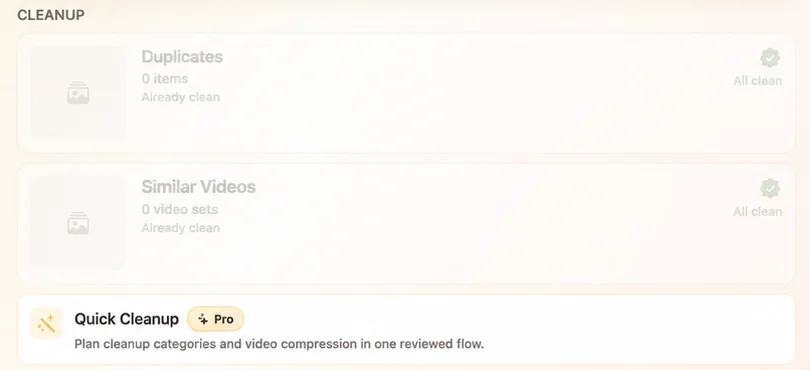
Clean up the whole library in one pass.
Quick Cleanup builds one plan across exact duplicates, burst extras, similar photos, blurry photos, and large unwatched videos, and it can compress videos in the same run. You set how far it reaches, from exact duplicates only to everything, look over the plan, and it clears in one pass.
Bonus Keepers keeps a second shot for you when it shows something your pick doesn't, like a different moment, view, or expression. It says why, and you can undo it.
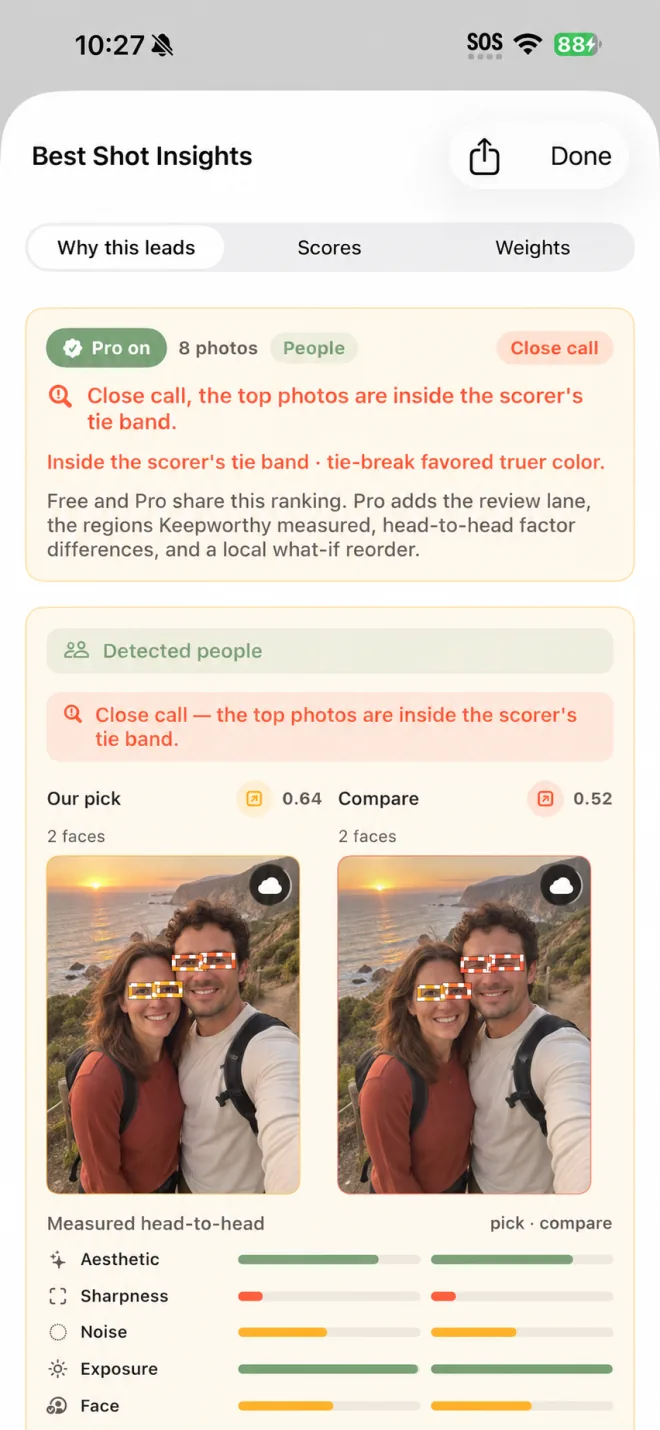
Keepworthy checks every frame. You make the call.
When two frames are close, Keepworthy puts them in the same spot on screen with the reason under each. Drag the divider.


Drag the divider to compare.
When Keepworthy finds a group of similar photos, it runs each one through 20 on-device checks: overall aesthetics, sharpness and sharpness on the subject specifically, how cleanly the subject separates from the background, exposure and contrast and exposure on the faces, color balance and saturation, image noise, resolution, whether the image is actually a screenshot, horizon level, how many people are in the frame and how much of it they fill, face capture quality, eyes open, expression, whether the subject is facing the camera, and whether a face is clipped by the edge of the frame.
Keepworthy doesn't know your taste. I tested it blind on 88 decidable groups from my own library. A shot I kept was in Keepworthy's top three 91% of the time, and was its first pick 55% of the time. That's one grader and one library, so treat it as a small test.
So Keepworthy puts its two strongest candidates side by side, full screen and zoomable, with the reason under each. You pick.
See every check, with its number.
Best Shot Insights shows why the pick leads and the score for every check on each photo. You can re-weight the checks to suit your own taste and watch the order change.
On your iPhone and on your Mac.
Both apps run the same analysis and make the same picks. One Pro purchase covers both.
Clean up from the couch.
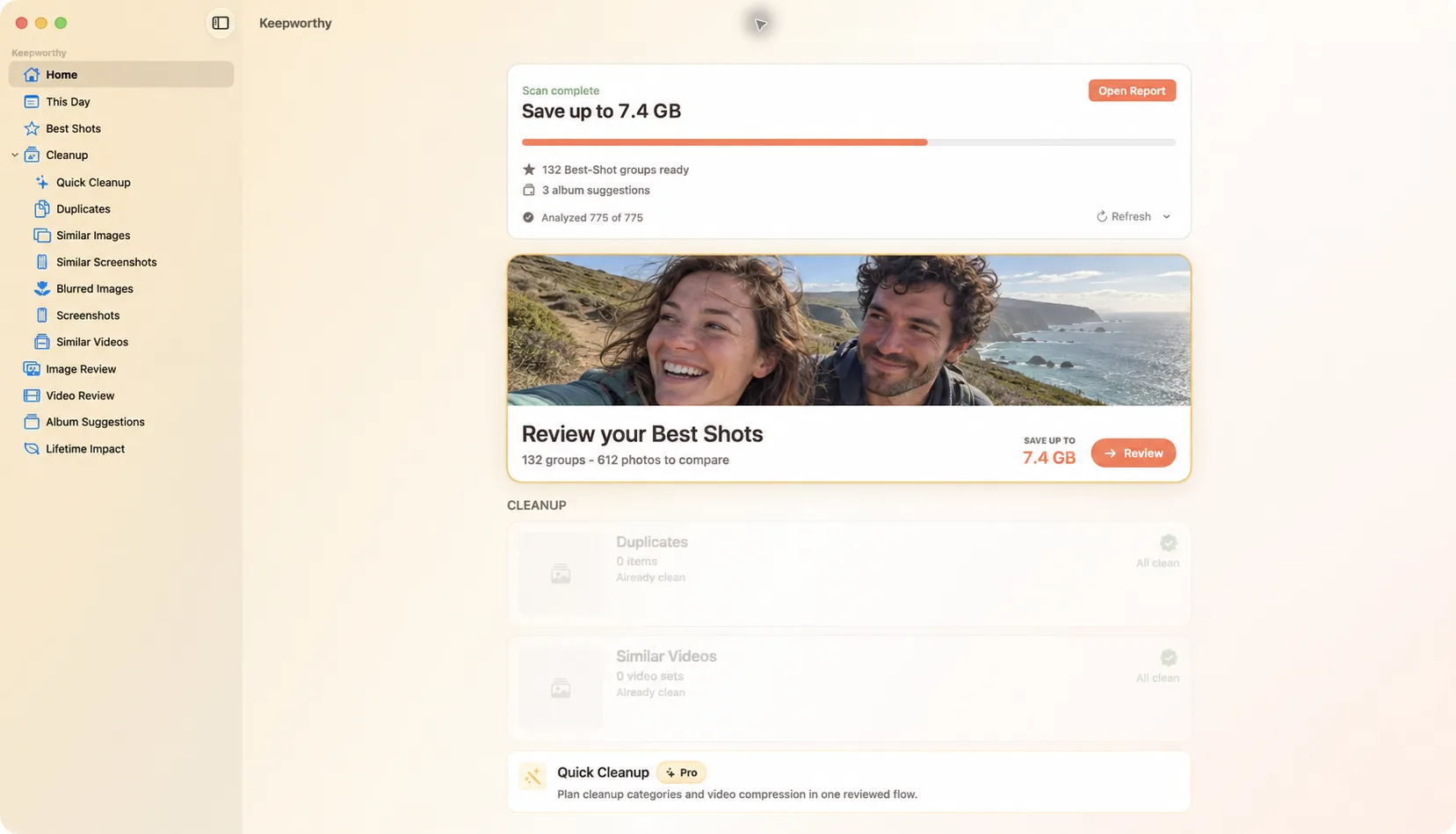
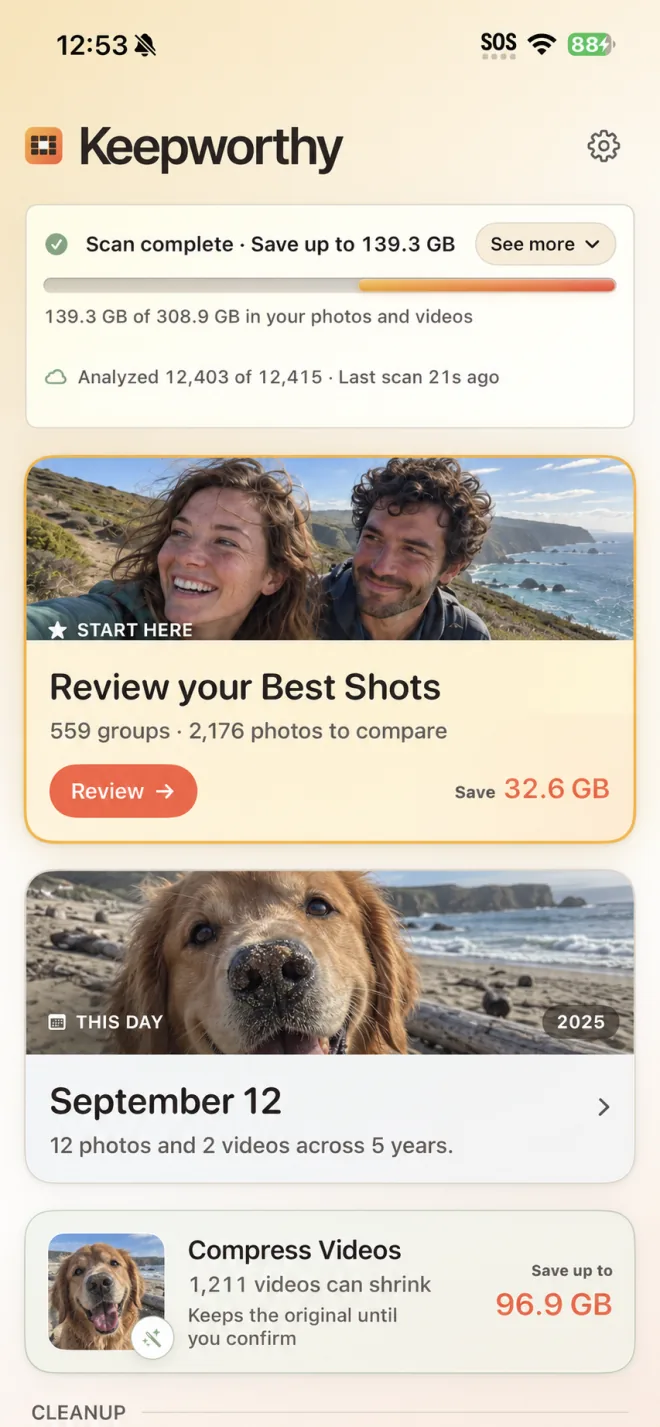
Home shows what the scan found, how much of your library it has analyzed, and where to start.
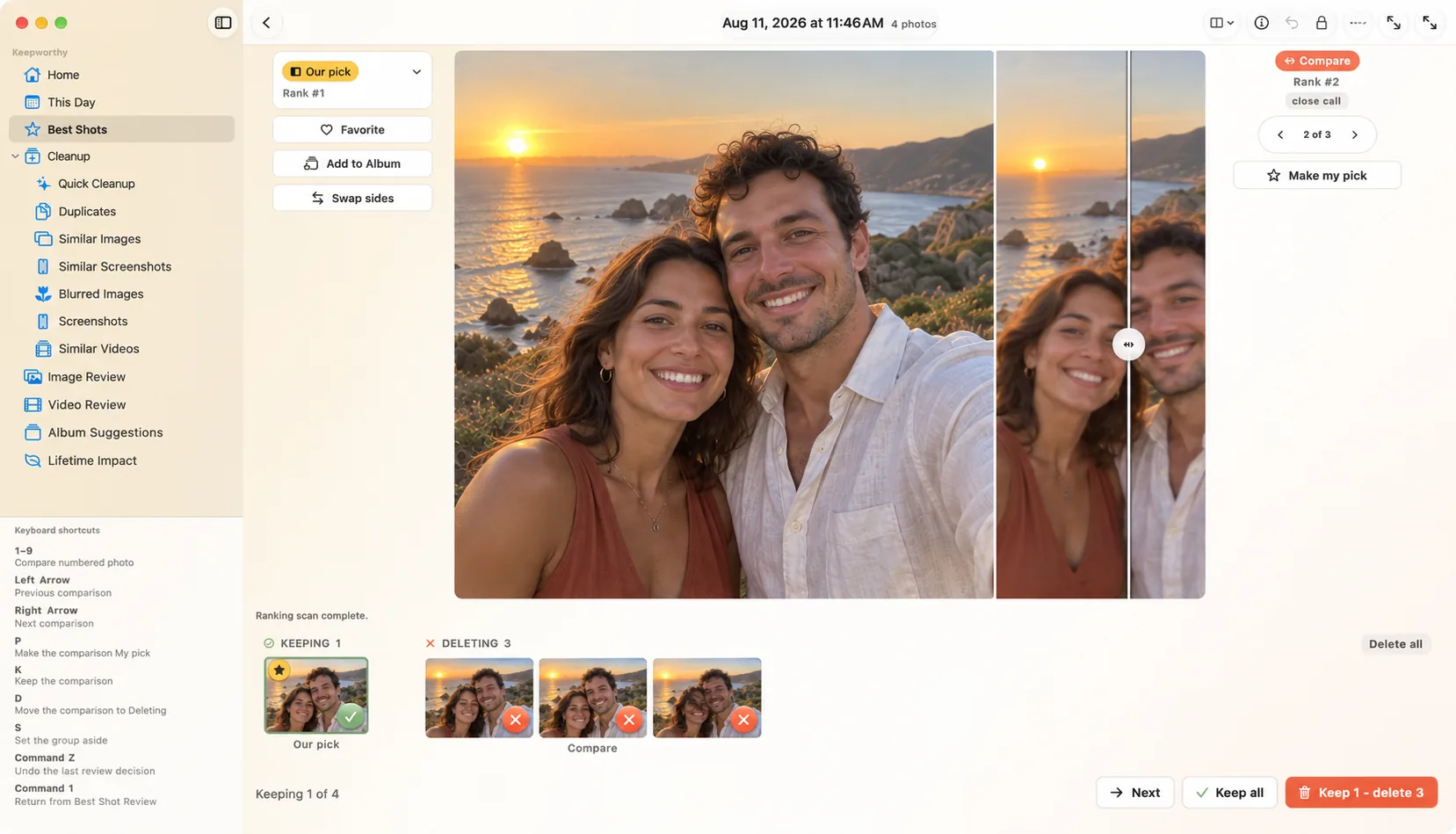
Compare close calls on a bigger screen.
Both photos sit at full size, and every decision has a keyboard shortcut: P to make it your pick, K to keep it, D to mark it for deletion.
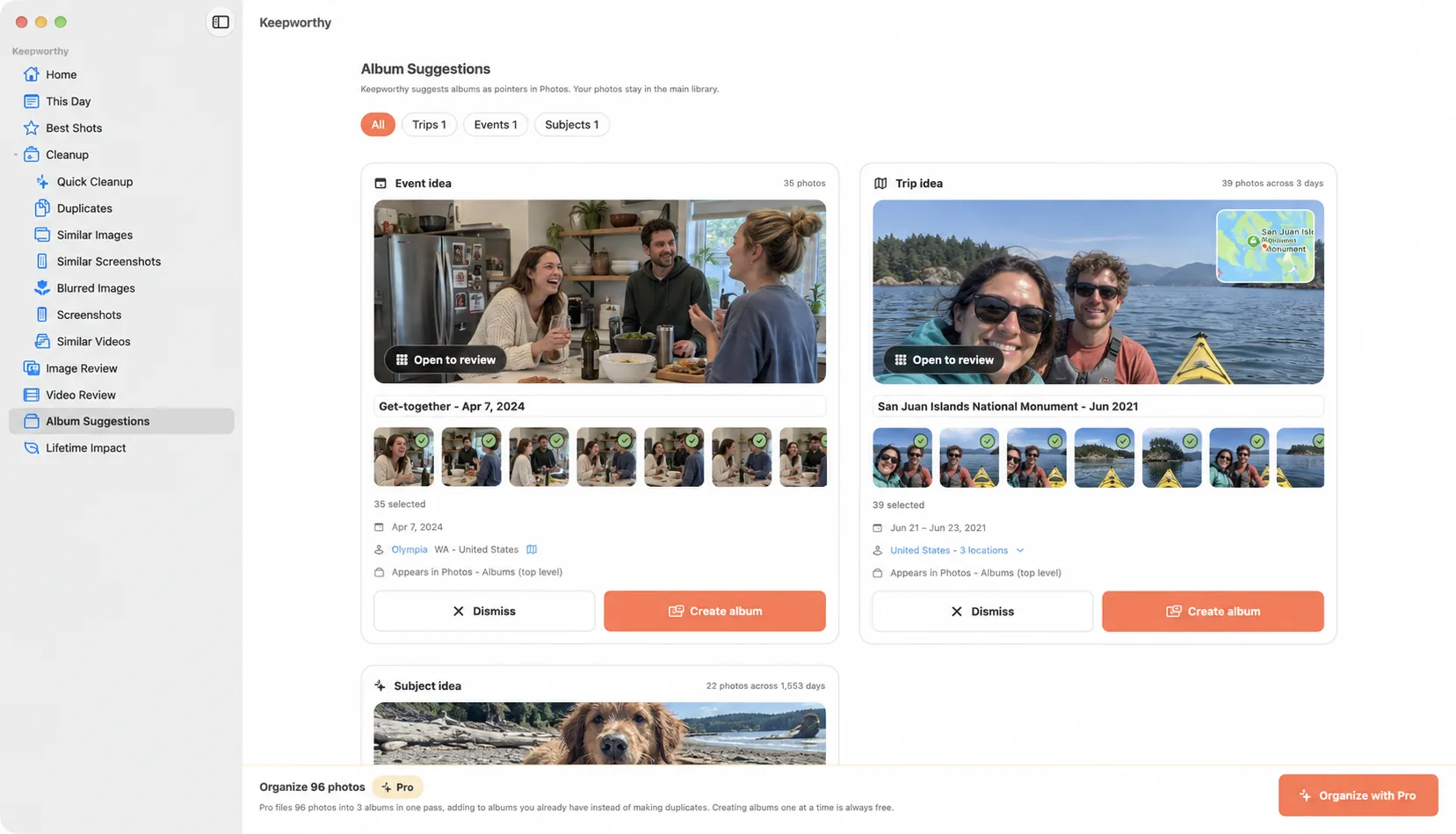
Albums for the trips and get-togethers.
Keepworthy suggests albums and creates them as real albums in Photos. Create them one at a time, or organize every suggestion in one pass. Pro
One purchase covers both.
Pro is a one-time purchase for your iPhone and your Mac, and you can share it with your family. Review progress stays on each device, because Keepworthy doesn't sync it between them.
It tells you what it hasn't looked at yet.
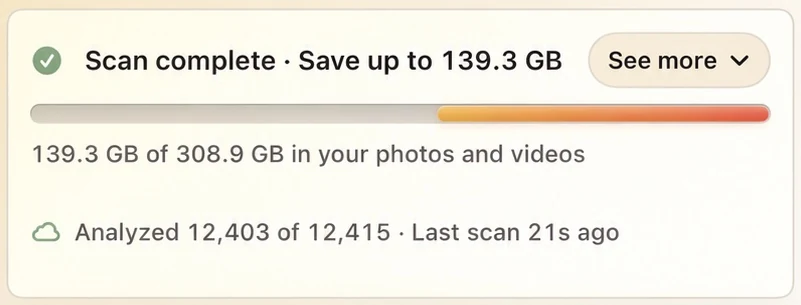
While it works, Keepworthy shows how much of your library it has analyzed, so you can see what its numbers cover and what they don't yet.
Every cleanup ends with a receipt, and under it, where the items went. That's why your storage number doesn't drop right away. Photos is still holding those items. When you empty Recently Deleted, the space comes back.
Keepworthy doesn't keep a private trash of its own. Each batch stays in Cleanup History with its counts, date, source, recovery deadline, and a route back to Photos.
Keepworthy doesn't upload your photos or videos. The analysis runs on your iPhone or Mac using Apple's on-device models, and there's no Keepworthy server or account. If you include iCloud media in a scan, Keepworthy downloads your own photos from your iCloud to look at them on the device. To name the place on an album suggestion, it sends Apple a rounded location, and you can turn that off. If you send a diagnostic file for support, the app tells you what's in it first, and it goes only where you share it. Read the privacy policy
Always free to clean up.
Everything on this page without a Pro label is in the free app. There's no daily limit and no cap on how much you clean up. You don't need an account, an email address, or a sign-in, and the app has no ads or trial timer.
The best-shot picks with their reasons, duplicates, blurry photos, similar shots and screenshots, similar videos with the side-by-side compare, the measured visual-change number, compression at the everyday settings, and album suggestions created one at a time are all in the free app. There's no daily limit and no cap on how much you clean up. You don't need an account, an email address, or a sign-in, and the app has no ads or trial timer.
Every photo gets the same 20 checks whether or not you buy Pro.
My own library in July 2026 was 11,479 photos and videos, about 235 GB, most of it in iCloud. Keepworthy found more than 150 GB I could free up. That's the difference between Apple's 2 TB storage plan and the 200 GB one: $84 a year, at current US prices.
My library, July 2026. Your number depends on yours.
Pro is for getting through a big library in fewer passes.
The $19.99 is a launch price, and it goes up to $29.99 after the launch window. It's a one-time purchase that covers your iPhone and your Mac, and you can share it with your family through Family Sharing.
You can finish tonight. You don't have to.
Start with the videos, or one burst, or the screenshot pile. Stop whenever you like. Keepworthy remembers what you decided, and it's still there next week.
Is it really free?
Yes, and cleaning up stays free. Picking the best shot, clearing duplicates, blurry photos, similar shots and screenshots, comparing similar videos side by side, compressing videos at the everyday settings, and creating suggested albums one at a time are all free, with no daily limits. Pro is a $19.99 one-time purchase for getting through a big library in fewer passes. See what's free and what Pro adds.
Do I need an account?
No. The app works without an account, an email address, or a sign-in.
Is there a subscription?
No. Pro is a one-time purchase, $19.99 at the launch price. It covers your iPhone and your Mac, and you can share it with your family through Family Sharing.
Is the Mac app the same app?
Yes. It runs the same analysis and makes the same picks, on a bigger screen where the two-photo compare has more room. Review progress stays on each device, because Keepworthy doesn't sync it between them.
What happens to photos I delete?
They go to Recently Deleted in Photos, where they stay recoverable for 30 days. Keepworthy doesn't keep a trash of its own, and nothing is deleted until you confirm.
Will compressing ruin my videos?
You get to check first. Compression writes a new copy at the settings you chose, leaves the original alone, and shows a measured number for how much the picture changed. Watch the copy next to the original, then decide which one to keep.